How to Download Your Instagram Data ZIP, Updated steps, 2026 (With Screenshots)
Want to find out who unfollowed you or ignored your follow requests on Instagram? The safest and most accurate method is by downloading your Instagram Data ZIP file and uploading it to UnfollowChecker. This guide includes step-by-step instructions with screenshots to help you do it easily—no password sharing required.
Why Use the Instagram ZIP File?
Instagram allows users to export their account data in a ZIP file. Inside, you’ll find your followers and following lists in JSON format. Uploading this file to UnfollowChecker lets you:
- ✅ See who doesn’t follow you back
- ✅ View pending follow requests
- ✅ Analyze your network privately—no login required
- ✅ Avoid risky third-party apps that ask for your Instagram password
This method is 100% safe and recommended for privacy-conscious users.
Step-by-Step Guide to Download Instagram ZIP File
Follow these steps to download your data. Each step includes a placeholder for a screenshot to make the process crystal clear.
-
Step 1: Open Instagram Profile Menu
Log into your Instagram account and tap the ☰ menu icon at the top right corner of your profile screen to access settings.
-
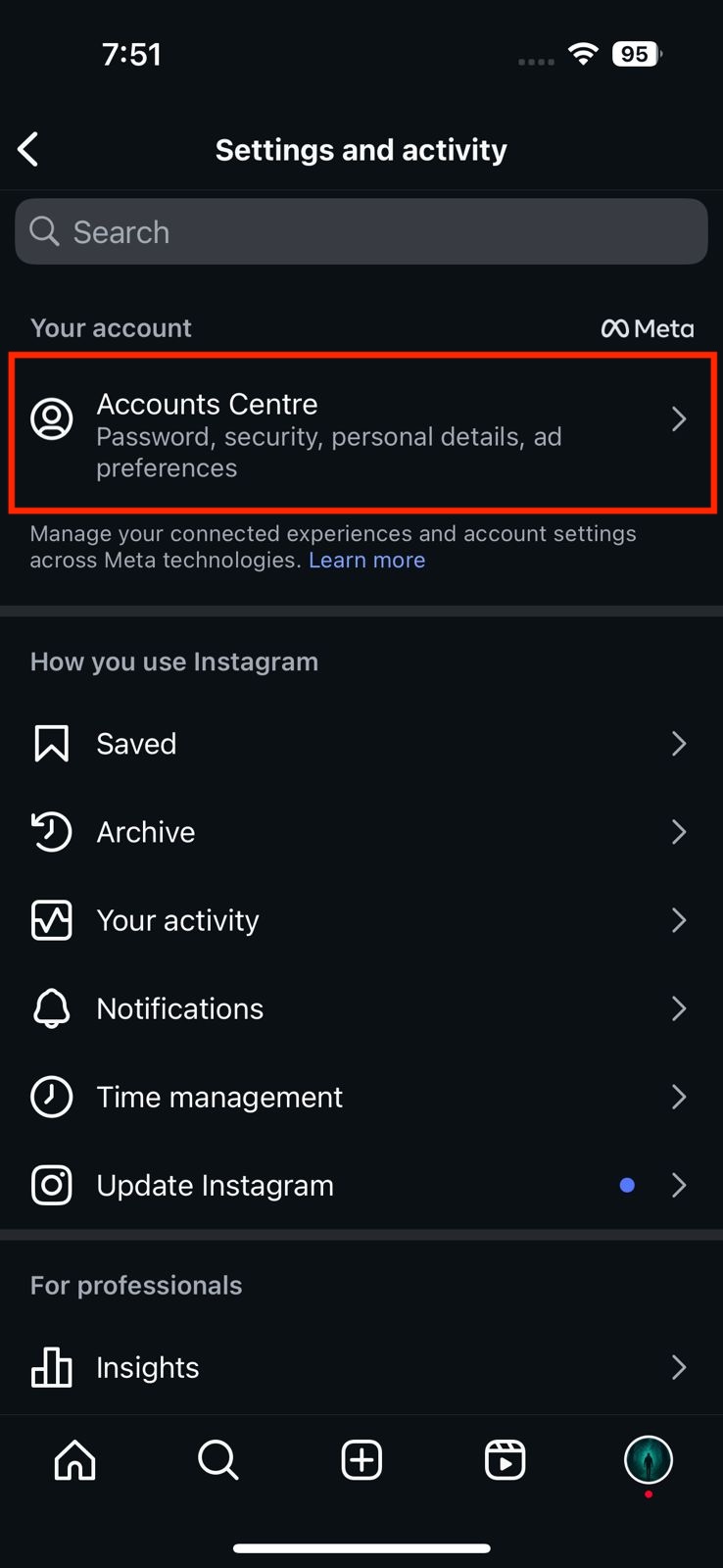
Step 2: Go to “Accounts Center”
Scroll down through the menu and tap on Accounts Center. This is where you manage your Meta account settings.
-
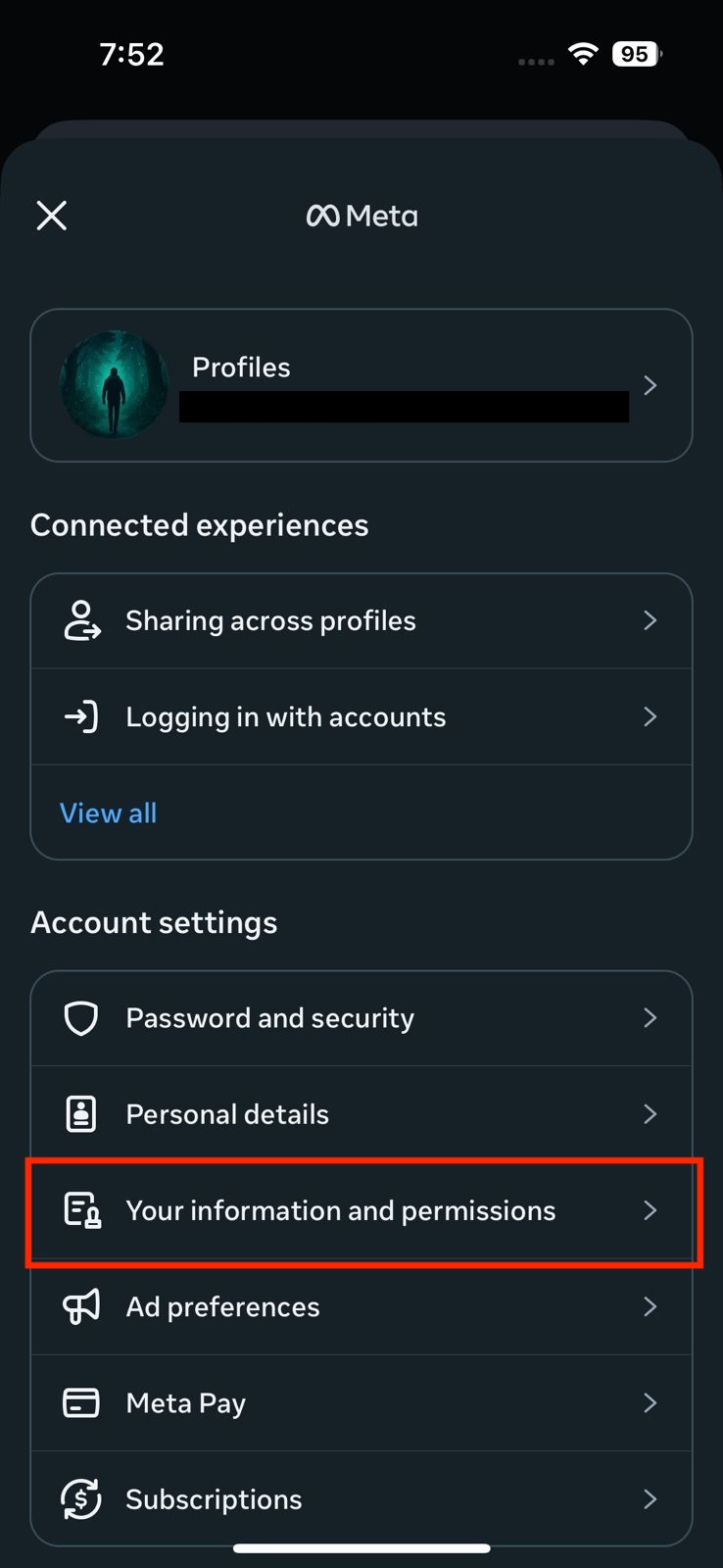
Step 3: Access Your Information & Permissions
Inside Accounts Center, tap on Your Information and Permissions to view data access and export options.
-
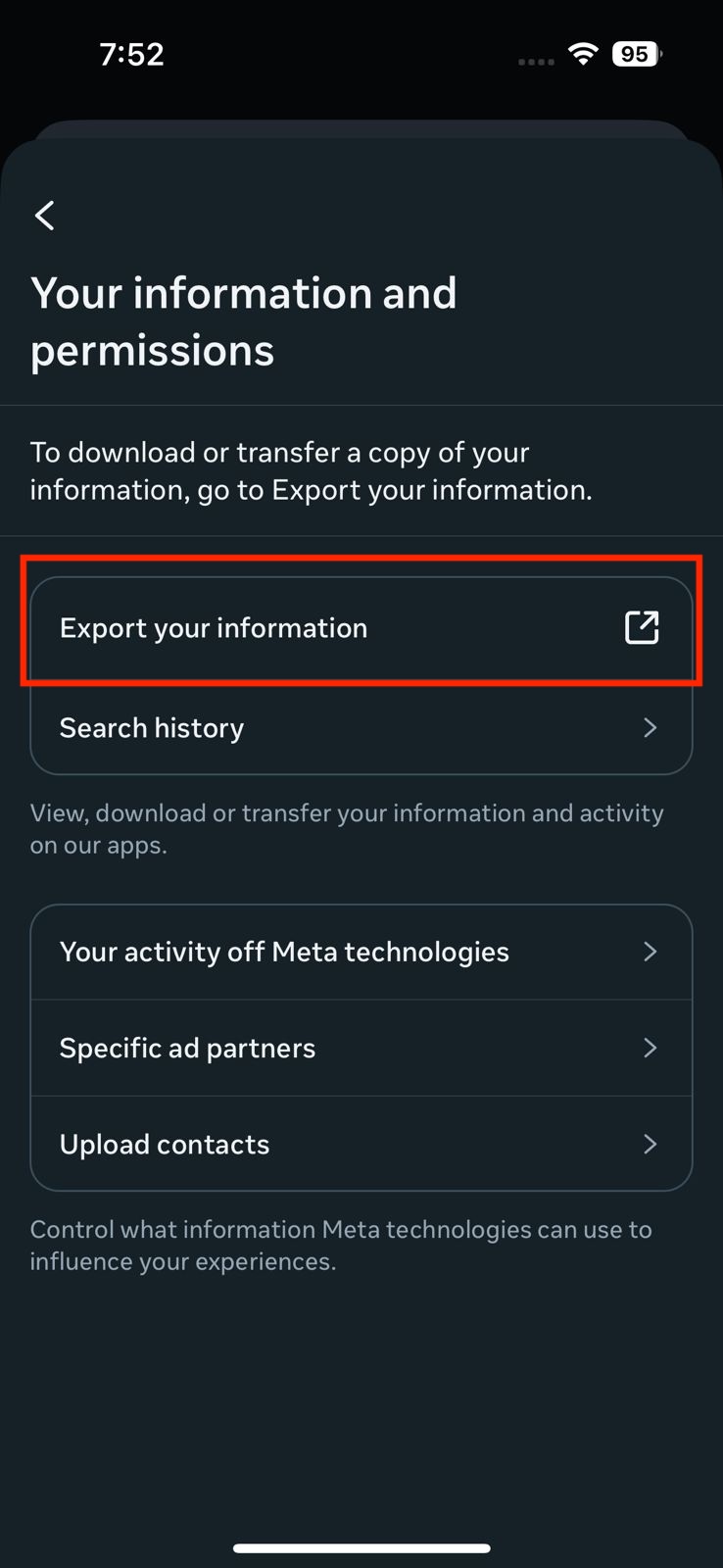
Step 4: Export Your Information
Tap on Export Your Information to begin the export process.
-
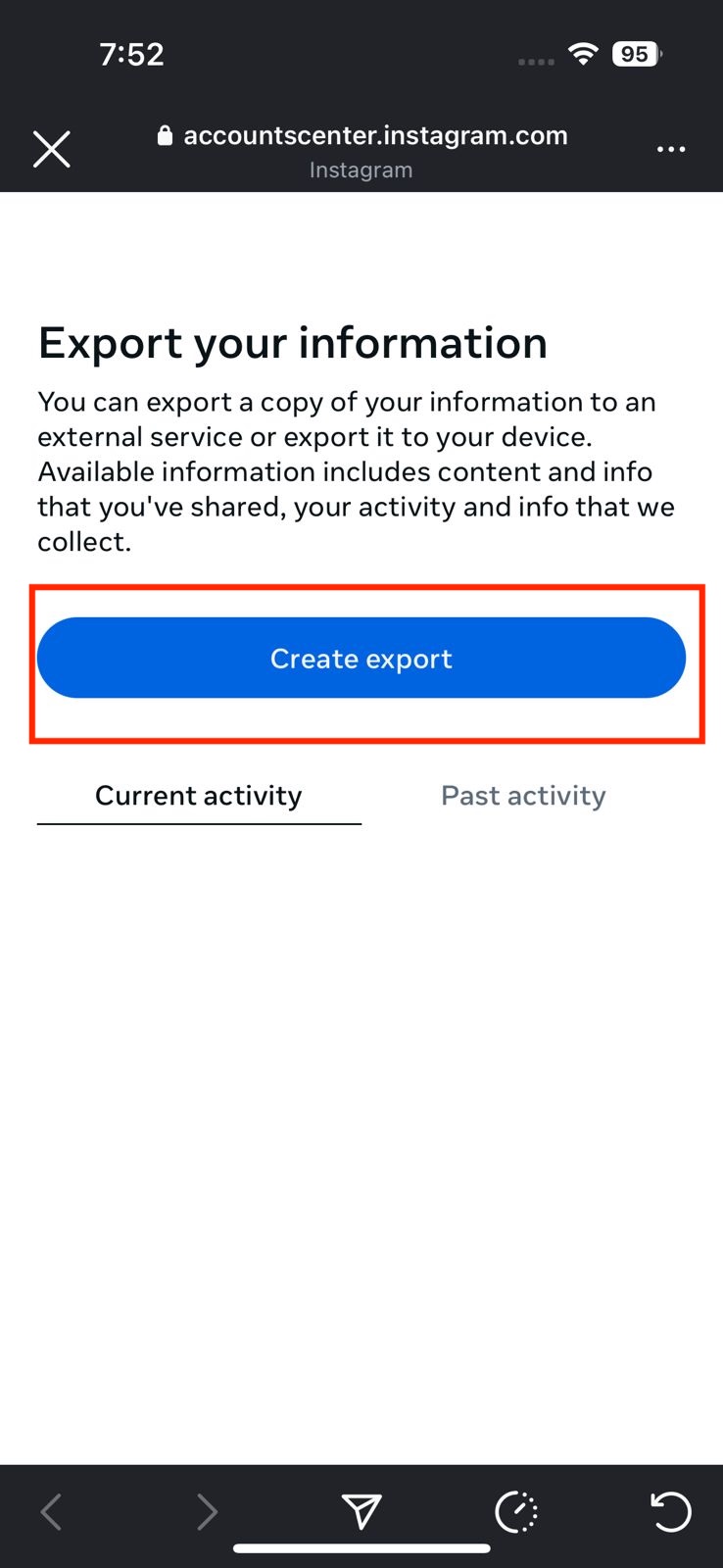
Step 5: Create Export
Click the Create Export button to proceed with selecting the data you want to download.
-
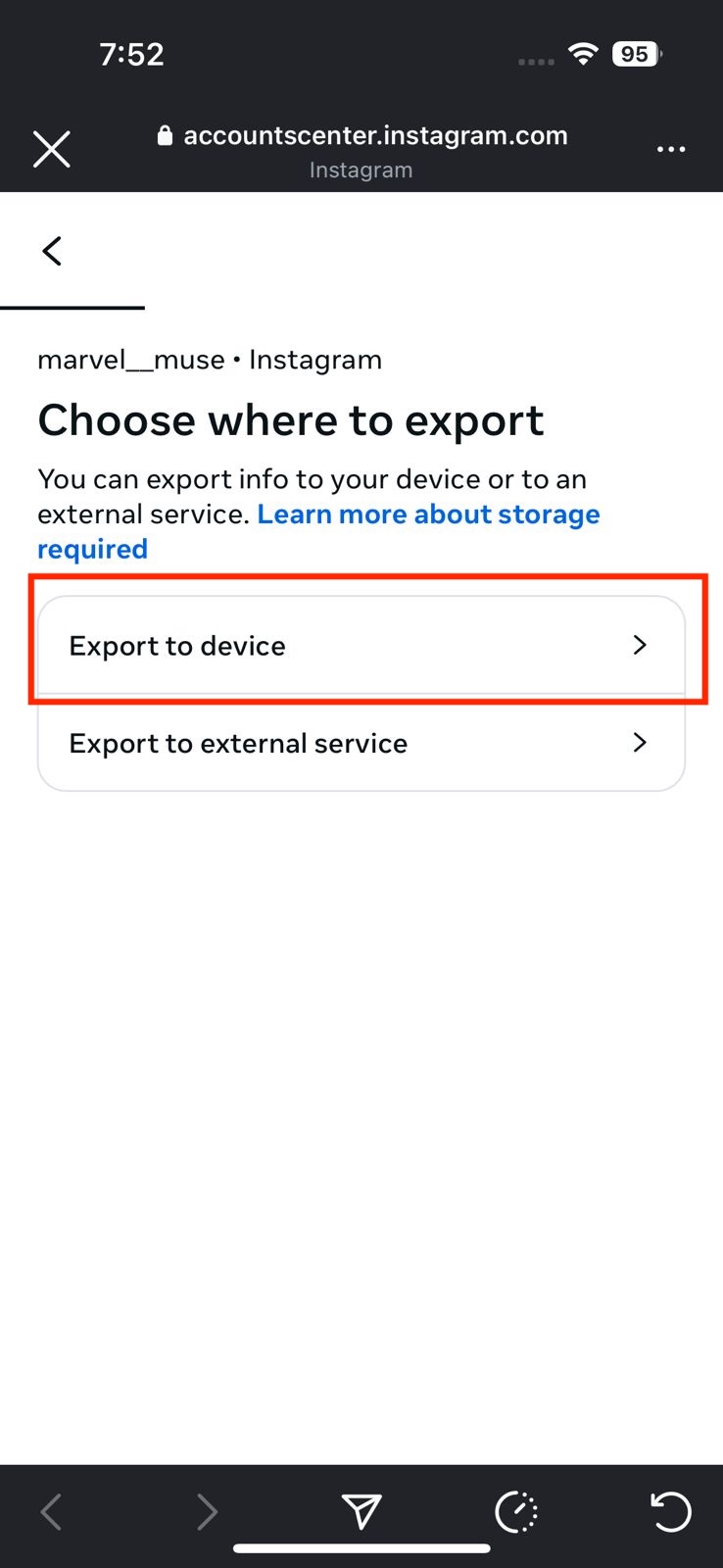
Step 6: Choose Export Destination
Select Export to Device to save the ZIP file directly to your phone or computer.
-
Step 7: Confirm Instagram Profile
Choose the Instagram profile you want to export data from, especially if you manage multiple accounts.
-
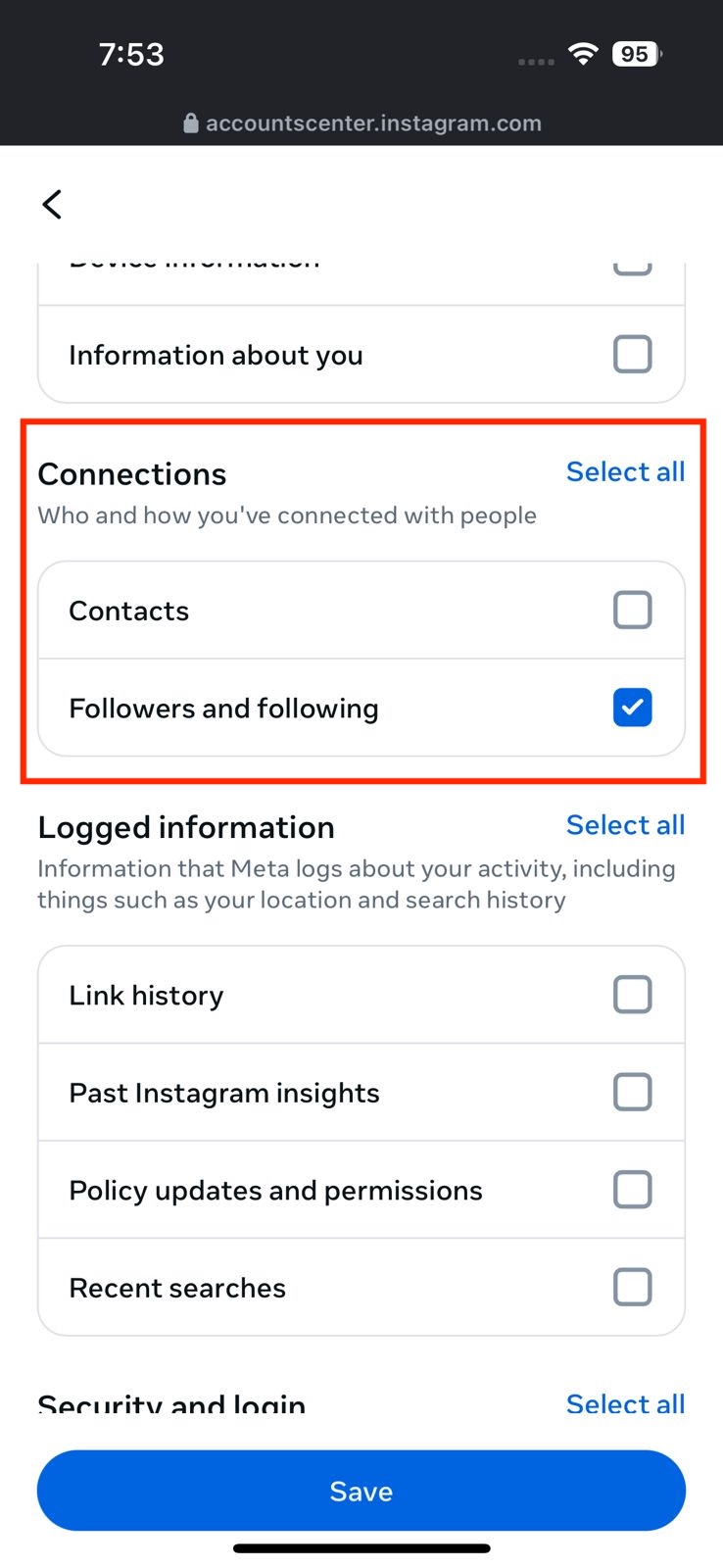
Step 8: Customize Export Settings
Deselect all options and select only Followers and Following. Then tap Save to confirm your selection.
-
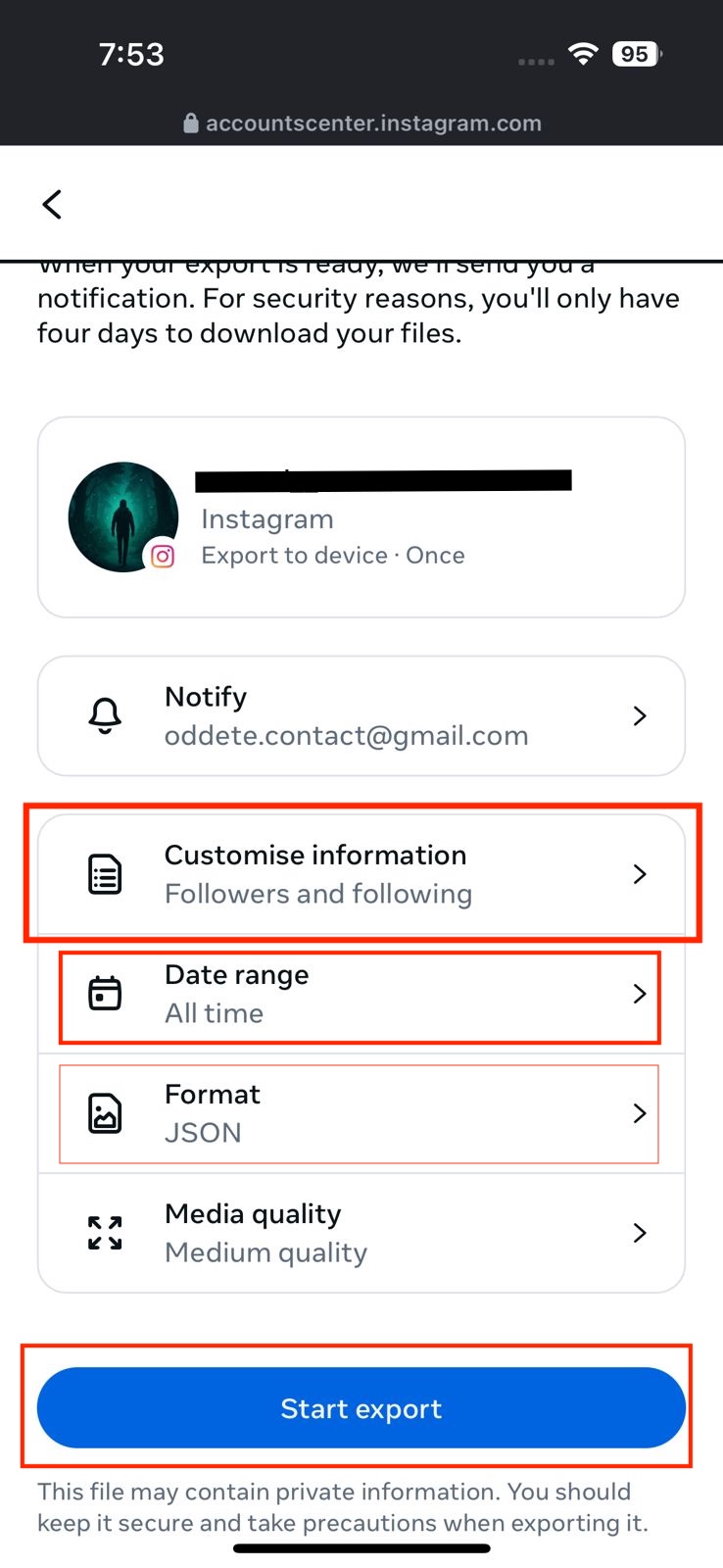
Step 9: Set Data Range and Format
Choose All Time for the data range and JSON as the format. Tap Create File to continue.
-
Step 10: Start Export
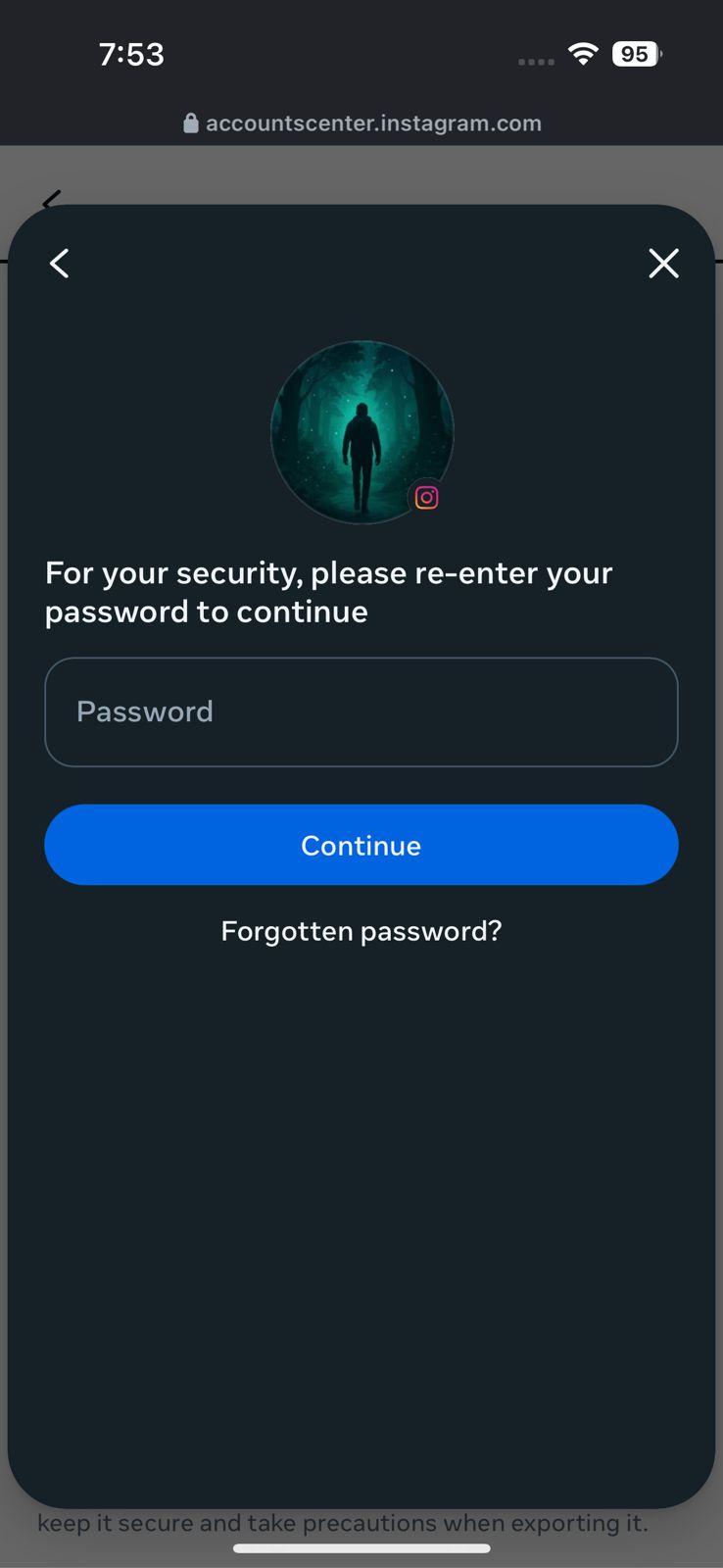
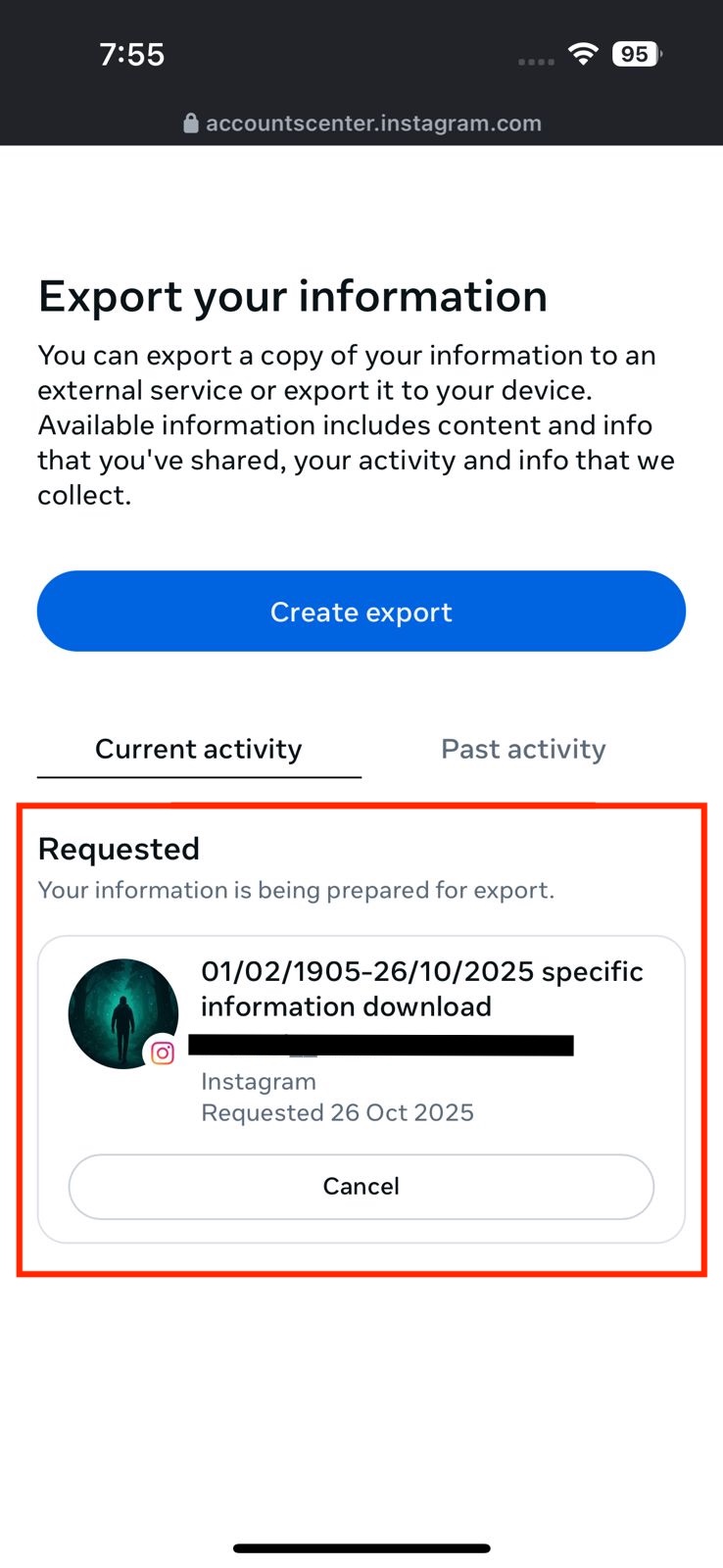
Click Start Export. Instagram will prompt you to enter your password to verify your identity. Once confirmed, the export will begin and may take a few minutes.
-
Step 11: Download the ZIP File
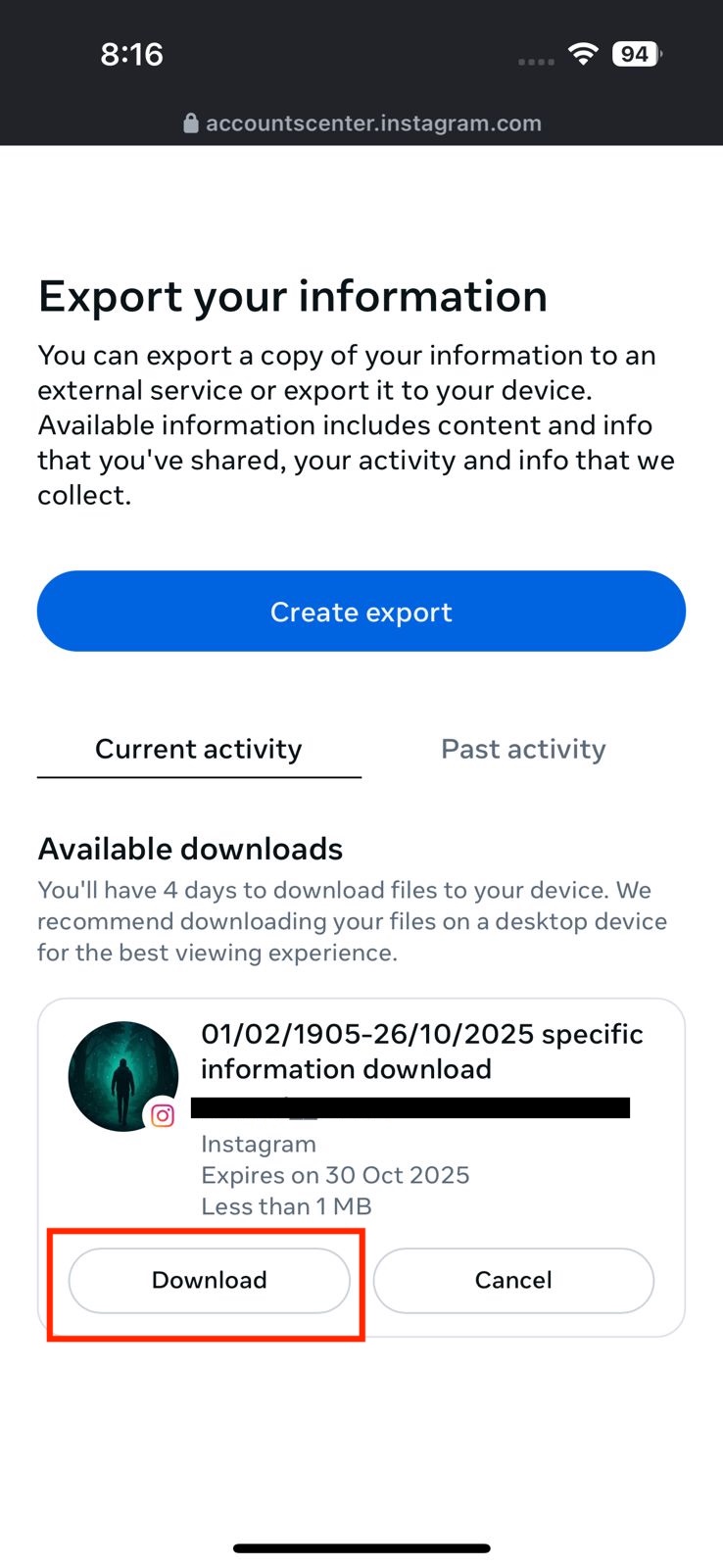
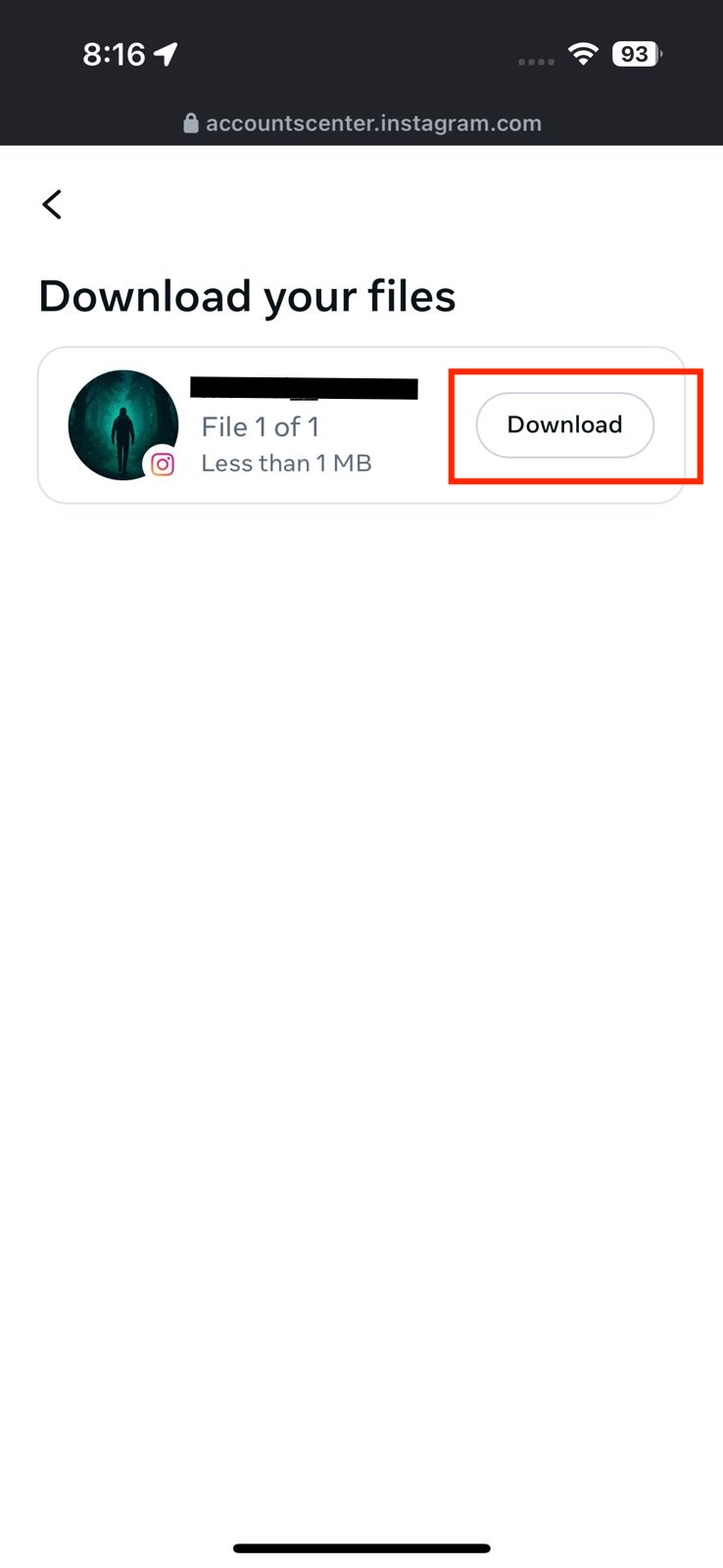
After receiving a confirmation email or waiting about 20 minutes, return to the export section. (step-5) A Download button will appear—click it to download your ZIP file.
-
Step 12: Upload to UnfollowChecker
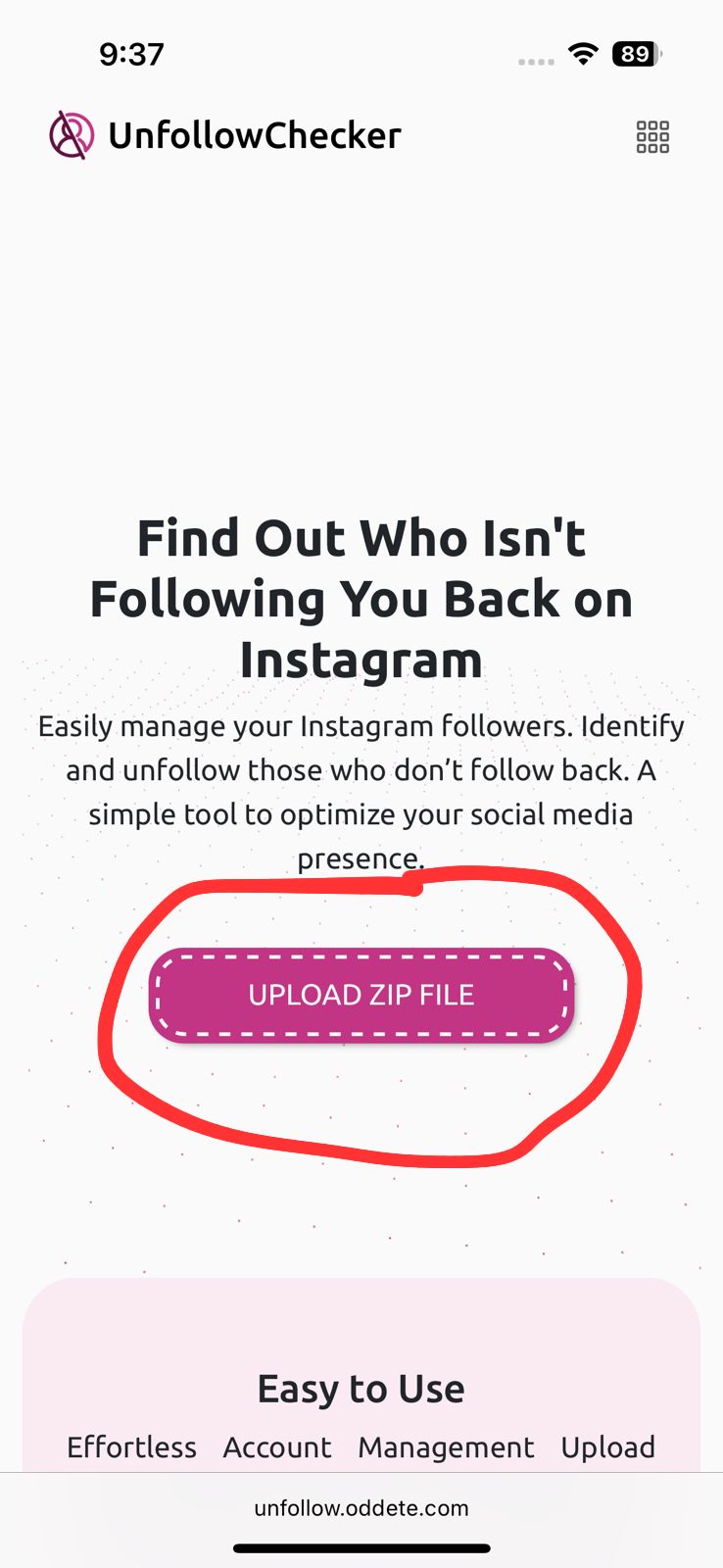
Visit the UnfollowChecker website and upload the ZIP file to analyze your followers and identify who doesn’t follow you back.
Why Choose UnfollowChecker?
- No Instagram login required
- Fast & accurate results
- Mobile-friendly uploads
- Free for up to 100k followers
- Advanced analytics for premium users
Frequently Asked Questions (FAQs)
What’s inside the ZIP file?
The ZIP file contains your account data, including JSON files named 'followers.json' and 'following.json'. These files are simple lists of your followers and the accounts you follow, which UnfollowChecker uses to analyze your account without needing your password.
Can I use this on a mobile phone?
Yes! Our tool is fully mobile-friendly. You can complete the entire process—from downloading the ZIP file from the Instagram app to uploading it on our website—directly from your phone.
How long does Instagram take to prepare the file?
It usually takes between 5 to 15 minutes for Instagram to prepare your data file. For accounts with a large number of followers, it might take a bit longer. You will receive an email from Instagram as soon as it's ready to download.